RestUp 1.2 · Ready for iPhone Duo

sleep and recovery, on iPhone Duo.

Unfold it and RestUp opens into two-page spreads. Stand it half-folded on the nightstand and it shows tonight’s lights-out time, then your readiness in the morning.

Download on the App StoreFree to download
First week of Plus free
RestUp Today on an unfolded iPhone Duo: readiness on the left page, recovery signals on the right
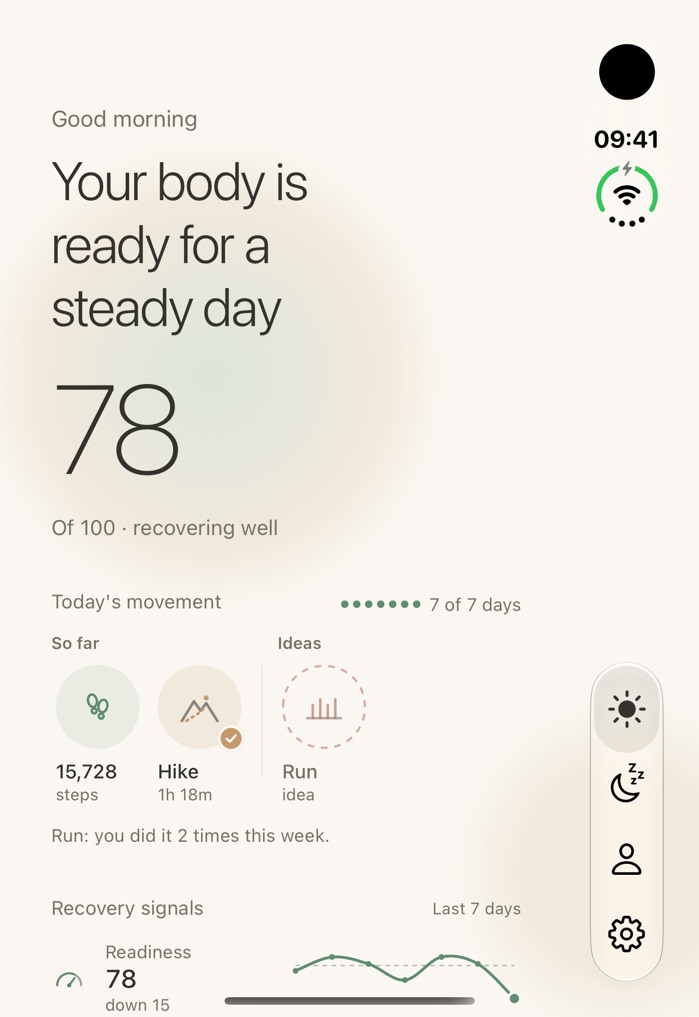
RestUp Today on the cover screen of a folded iPhone Duo, with the tabs down the side
two pages,
one reading
a glance from
the pillow
tabs by your thumb,
on the cover
Today, unfolded: two pages side by side, and the cover screen folded
Three ways to hold it

Three ways to hold it. RestUp fits each one.

pick a pose from the bar; it follows you down

Folded: the whole app, on the cover screen

Closed, the Duo works like a phone, and RestUp lays itself out for the cover screen’s shape, with the tabs down the side so your thumb finds them.

Today on the folded iPhone Duo
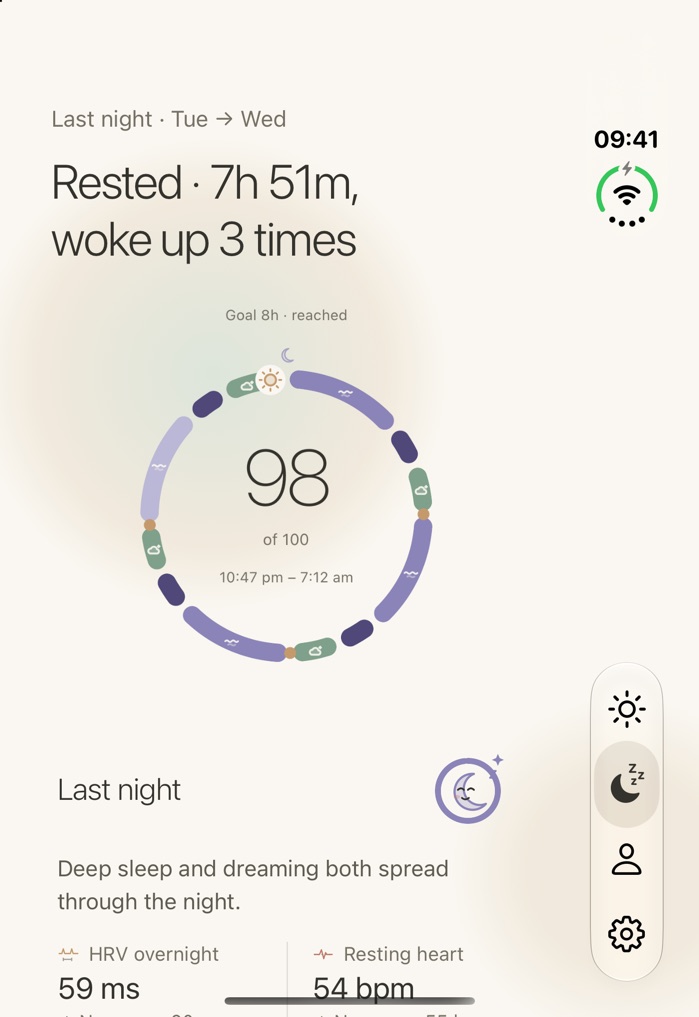
Sleep on the folded iPhone Duo
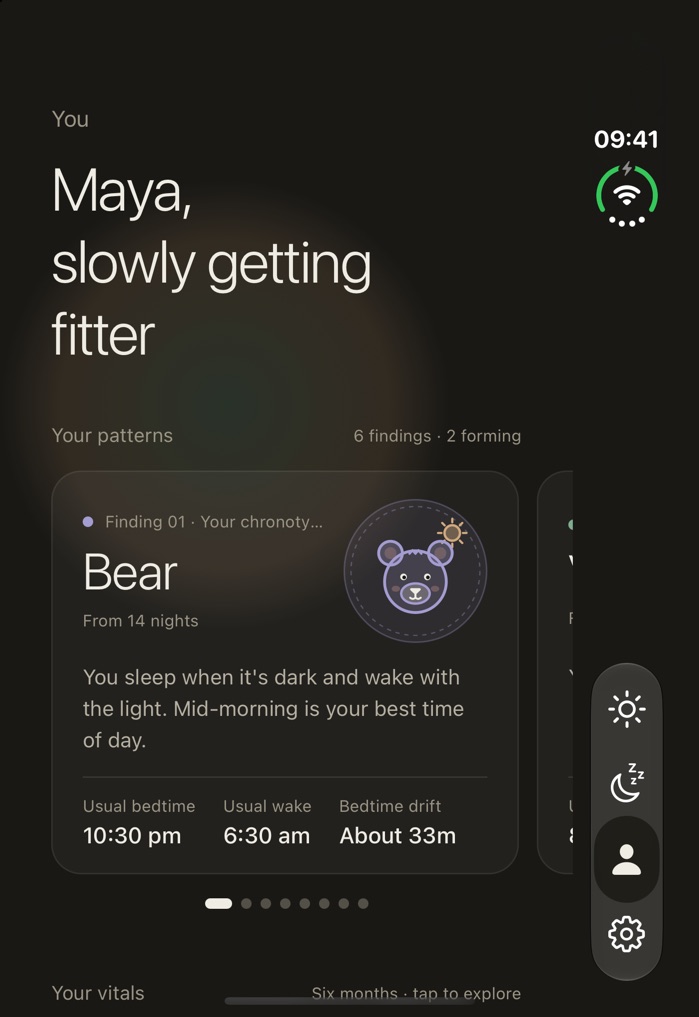
You on the folded iPhone Duo

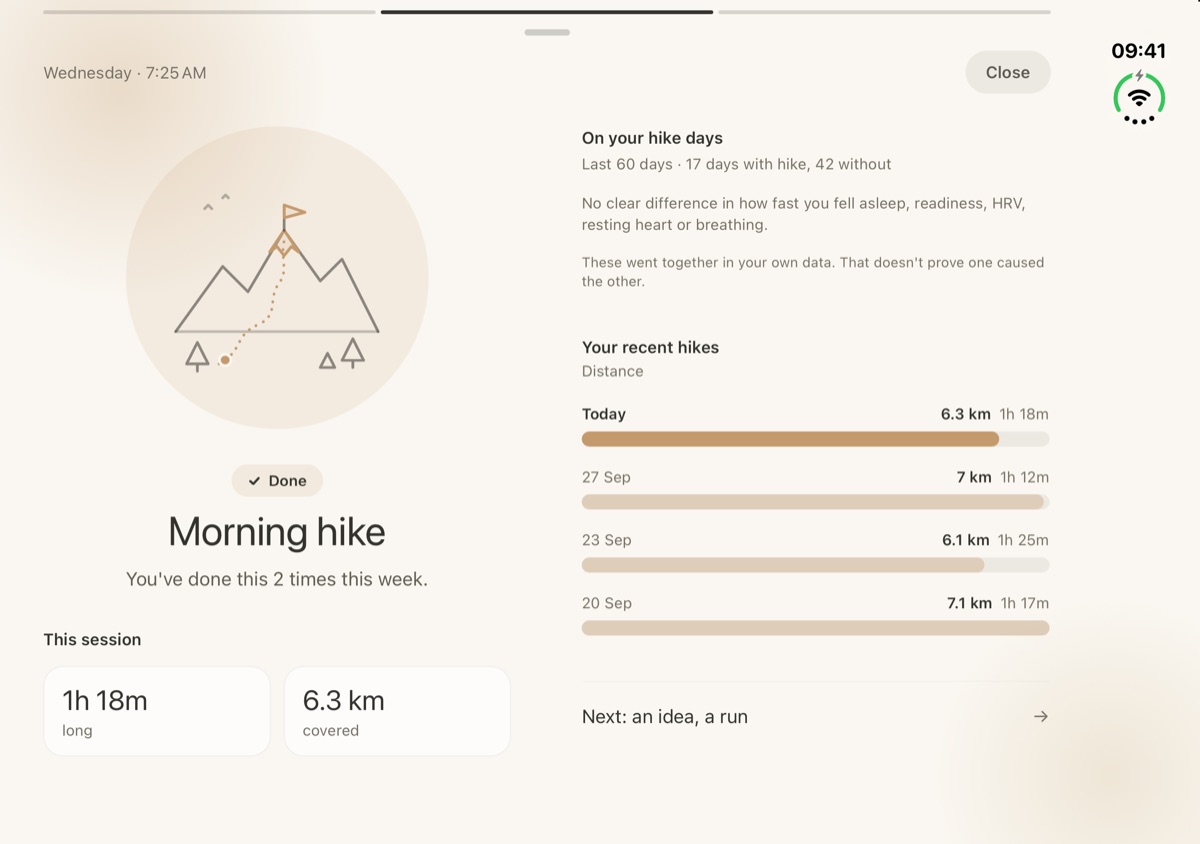
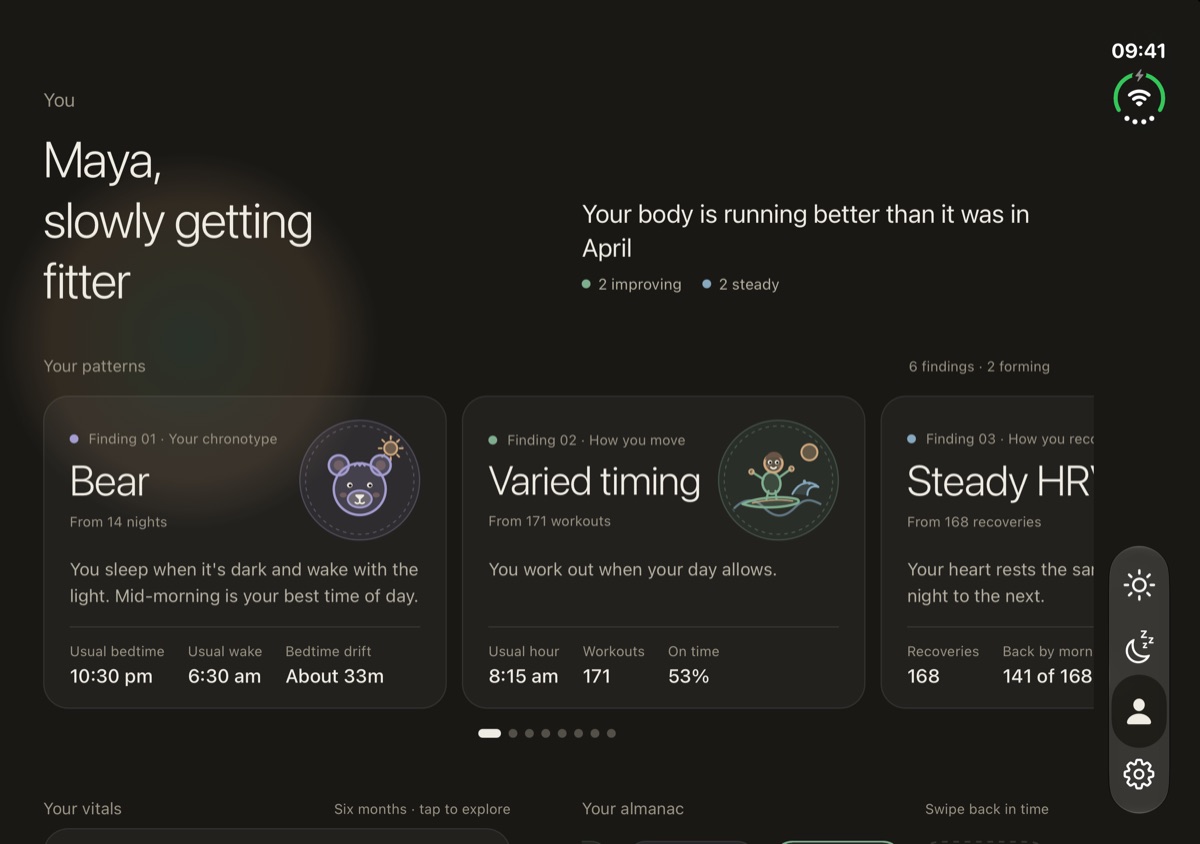
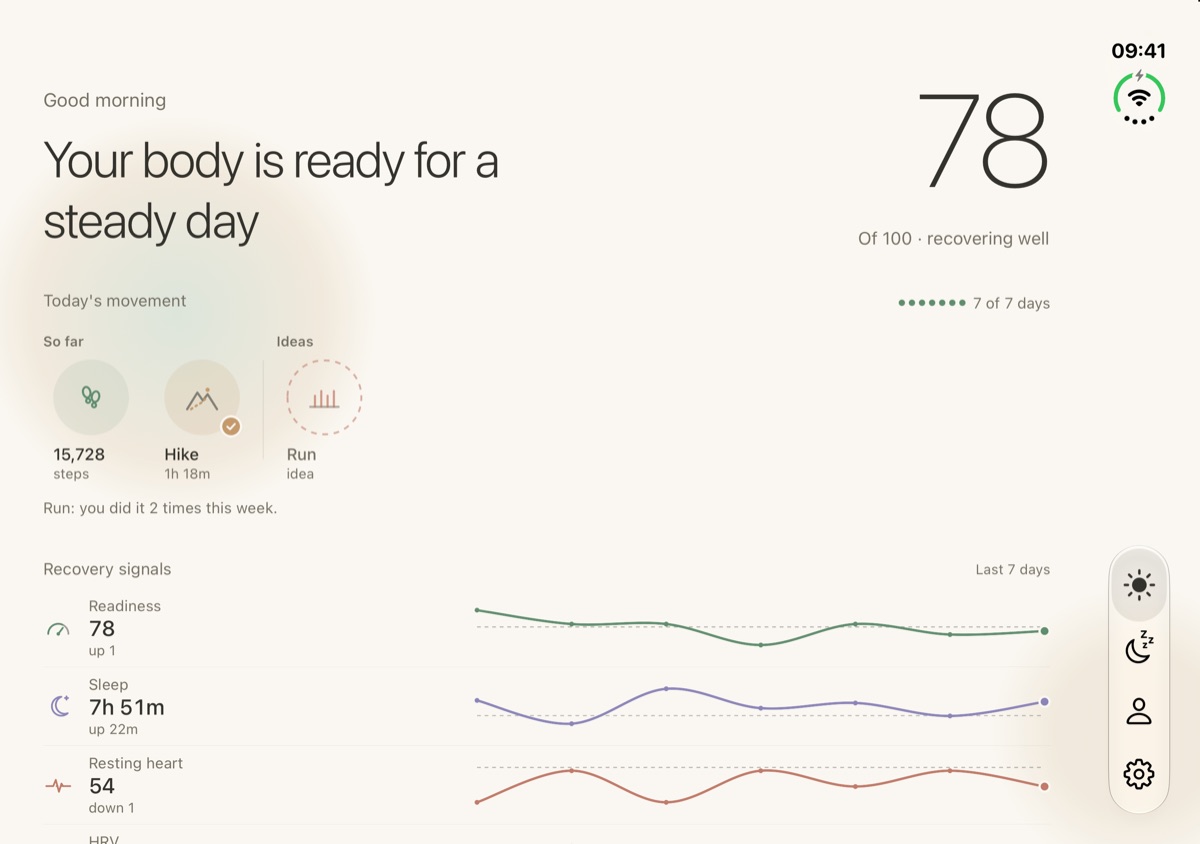
Unfolded: two-page spreads

Open the Duo and each screen becomes a spread: the reading on one page, the detail on the other. No letterboxing, no stretched phone layout.

Today on an unfolded iPhone Duo
Today: readiness on one page, recovery signals on the other
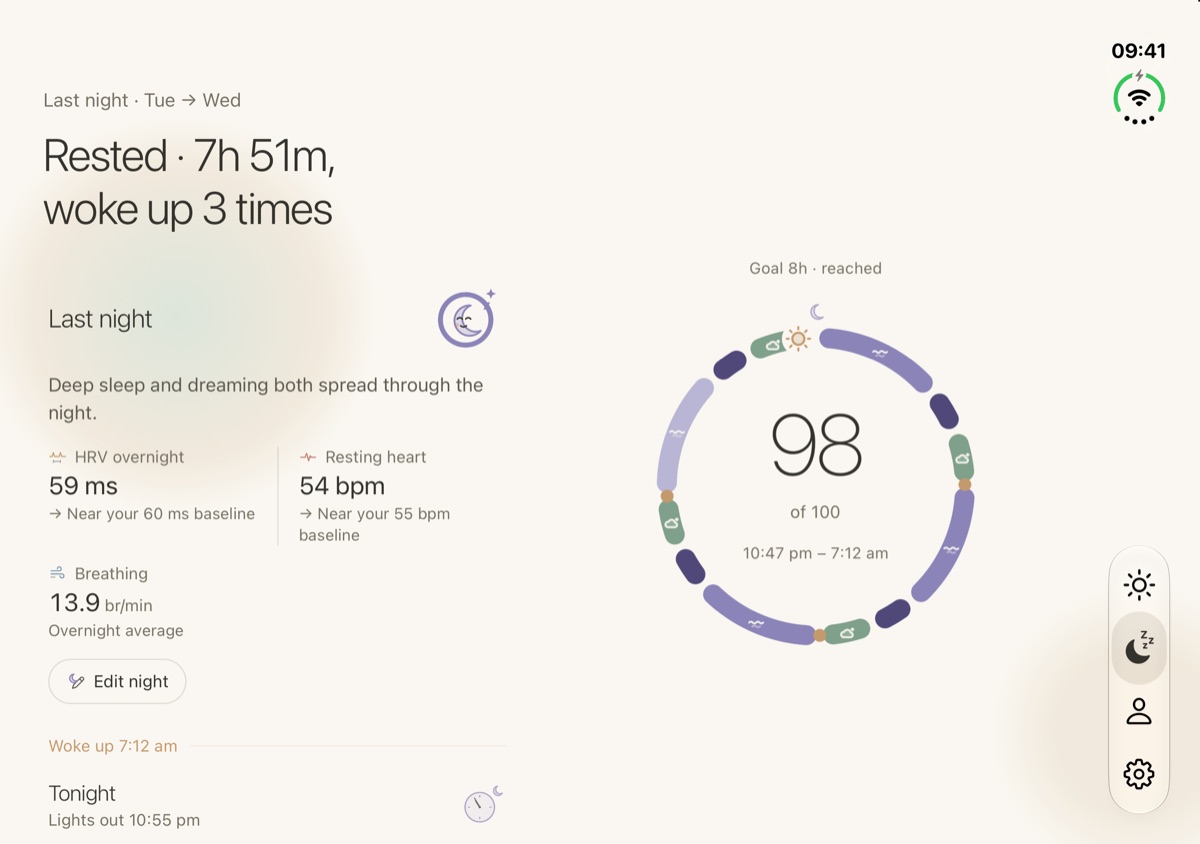
Sleep on an unfolded iPhone Duo
Sleep: last night’s ring beside what it adds up to
Movement on an unfolded iPhone Duo
A hike: this session beside your recent ones
You on an unfolded iPhone Duo
You: your patterns beside your findings

On the nightstand

Half-fold the Duo and stand it up. The upright half is meant to be read from the pillow; the half on the table holds the buttons.

  • In the evening: tonight’s lights-out time and when to start winding down, with last night’s HRV and resting heart below.
  • In the morning: your readiness reading and the line that goes with it, with sleep, heart, steps and HRV below.

Same numbers as the app’s tabs, nothing extra. The gentle wake-up glow is Apple’s own alarm feature, not RestUp’s.

On iPhone Duo

RestUp has a layout for every way you hold a Duo.

same numbers, arranged for the screen you’re holding

01 · Closed: The cover screen. RestUp lays itself out for the cover screen’s shape, with the tabs down the side where your thumb finds them. 02 · Open: A two-page spread. The reading on one page, the detail on the other. Never a stretched phone layout. 03 · Open, held upright: One wide column. Charts run the full width, with a regular tab bar along the bottom. 04 · Half open: On the nightstand. Tonight’s lights-out time on the upright half, last night below. In the morning, your readiness.
RestUp on iPhone Duo, answered

From my notebook.

I’m Aman. I build RestUp on my own, and I worked out the Duo layouts myself. These are the questions I’d ask first.

Question 01

Does RestUp work on iPhone Duo?

Yes. I rebuilt the layouts for it in RestUp 1.2. Folded, it fits the cover screen. Unfold it and every screen opens into a two-page spread, so you don’t get a stretched phone layout with black borders. Stand it half-folded and it switches to a glance you can read from across the room.

More questions? hello@restup.app
RestUp for iPhone Duo

Download on the App StoreFree to download
First week of Plus free
Rest is strength.